When I first set out to build a notion knowledge management and resource vault, my bookmark managers were a total disaster. I had hundreds of browser bookmarks saved across three different laptops, screenshots saved on desktop folders, and podcast takeaways jotted in random phone apps. Whenever I sat down to write an article or prepare a client deliverable, I wasted half an hour trying to locate a statistic I knew I had read weeks earlier.
A digital resource vault should act as a personal curated library rather than a digital dumping ground. By combining structured taxonomy, progressive highlighting, and two-way database relations in Notion, your accumulated research transforms into an active creative repository that fuels future projects. In this walkthrough, I share my exact structural framework for collecting, indexing, and retrieving high-value knowledge effortlessly.
Key Takeaways
Before designing your reference repository, review these foundational principles:
- Structure notes with lightweight, functional metadata instead of dozens of conflicting tags.
- Connect reference resources directly to active projects using relational two-way links.
- Implement progressive summarization so you can scan long documents in under thirty seconds.
- Configure dedicated gallery views filtered by media type such as books, articles, and podcasts.
- Establish a regular pruning schedule to archive obsolete reference materials and dead links.
To skip the design phase and start organizing productive systems immediately, Ready-to-Sell Notion Templates on plrbizhub.com provide professionally formatted digital assets that eliminate setup fatigue while maximizing focus. These tested templates allow creators to launch their workspaces in hours rather than weeks.
The Core Foundations Of Information Architecture
Modern theories outlined in standard literature on information management principles highlight that information without contextual retrieval mechanisms becomes digital friction. Storing a thousand unorganized web links does not make you smarter; it simply generates background cognitive clutter.
In my Notion architecture, I treat the Resource Vault as an active kitchen pantry rather than an archival museum. When a chef steps into a kitchen, ingredients are organized by how they are cooked, not by their country of origin. Similarly, I index resources based on how they serve upcoming creative initiatives, client deliverables, and strategic ventures on plrbizhub.com. This utilitarian perspective keeps my library lean and actionable.
Designing The Master Resources Database
I configure my resource vault using a single robust database named Master Resources. Instead of creating separate pages for articles, books, and videos, housing all media formats within one unified table allows for global search and relational linking across my entire workspace.
The primary properties in this table include Title, Medium (Select: Book, Article, Video, Podcast, Research Paper), Primary Topic (Select: Marketing, Design, Technology, Finance, Health), Author or Source (Text), and Date Added. Crucially, I include a Two-Way Relation property linked to my active Projects database and another linked to my Areas of Responsibility database. This allows me to link a research study on consumer psychology directly to an active sales page redesign project.
I also add a Rating property (Select: Essential, Useful, Background) so I can filter for top-tier landmark references when starting a major research sprint. If you want a complete pre-wired knowledge vault with custom formulas, database rollups, and pre-built taxonomy tags, the 200+ PLR Notion Templates Bundle delivers ready-to-use resource hubs that eliminate setup headaches.
Streamlining Web Clipping And Content Capture
Friction in the capture phase is the primary reason personal knowledge systems fail. If saving an insightful article requires opening Notion, manually creating a new row, and typing properties, you will naturally postpone the task and leave browser tabs open indefinitely.
I rely on Notion’s native web clipper paired with desktop keyboard shortcuts. When I discover a valuable essay or research paper, I click the clipper icon, choose my Master Resources inbox, and save the full article text in a single click. Every Sunday morning during my weekly clearing session, I spend ten minutes assigning topic tags and project relations to incoming clips. For foundational perspectives on global workspace setup, review our guide on how to build a second brain in notion.
Progressive Distillation And Executive Summaries
Saving full-text articles into Notion is merely step one. If you open a twenty-page research paper six months later, you will not have time to read the whole text again to extract one insight.
I apply progressive distillation to every high-value resource. During my first read-through, I use bold formatting on standout passages. On a second pass, I highlight the most critical bolded phrases with a yellow background. Finally, for seminal documents, I write a three-bullet Executive Takeaway callout box placed right at the very top of the page. Months later, I can open the note and comprehend the core thesis in twenty seconds flat.
This progressive layered approach ensures that your knowledge repository gains value over time rather than degenerating into an unreadable textual swamp. To explore how resource vaults integrate with broader life systems, consult our breakdown on the para method notion dashboard setup.
Building Curated Gallery And Shelf Views
A table of text links can feel uninspiring. To make browsing my knowledge base enjoyable, I configure visual gallery views filtered by media type.
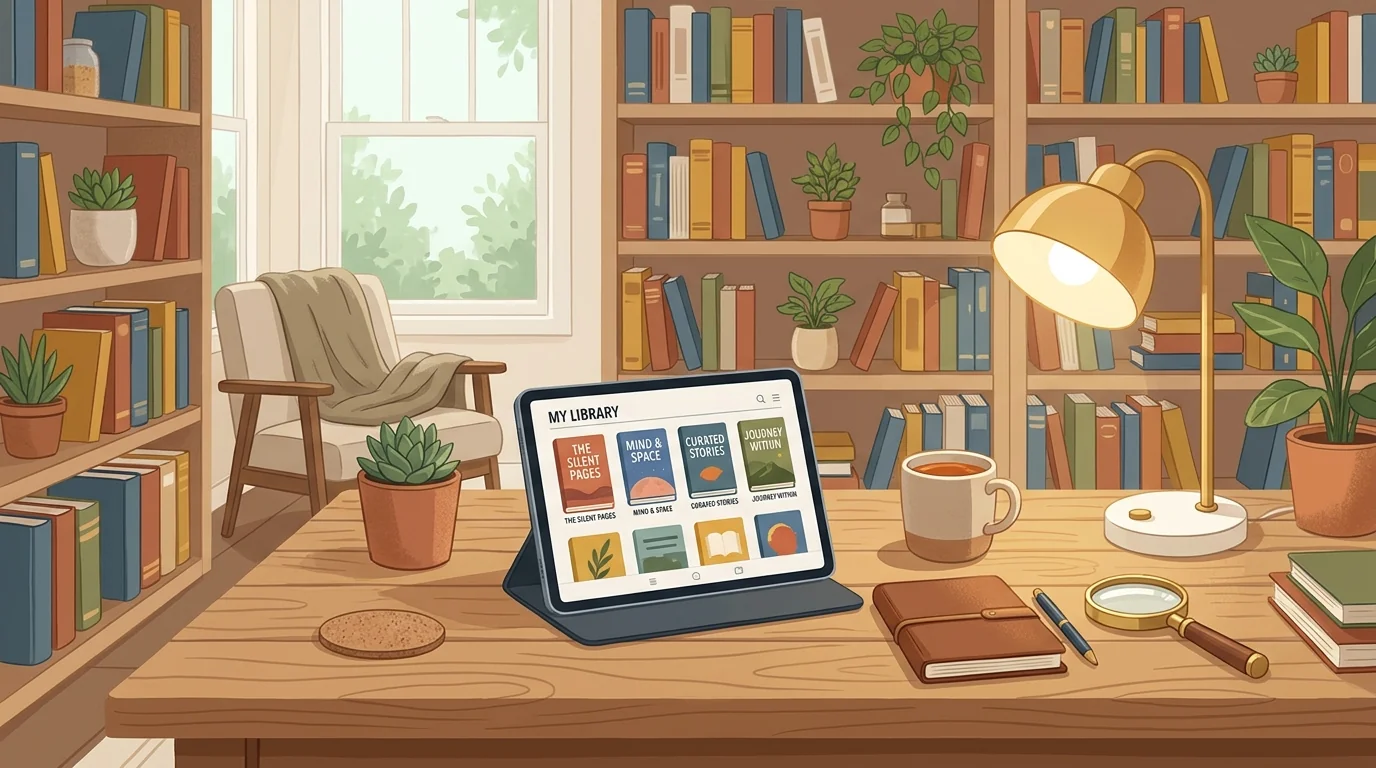
My favorite view is my Digital Bookshelf. In this gallery layout, each card displays the book’s cover art using the page cover property, alongside the author name, my star rating, and key takeaways. Seeing a handsome visual shelf of books I have read and digested over the years provides immense satisfaction and encourages consistent reading habits. I maintain similar gallery tabs for Favorite Podcasts and Design Inspiration Swipe Files, creating a rich visual library that inspires creative work.
For entrepreneurs launching digital product storefronts from home, having an organized swipe file of high-converting landing pages and product packaging is an invaluable competitive asset. Check out our detailed roadmap on how to start PLR product business from home for actionable guidance on product creation.
Routine Maintenance And Knowledge Pruning
A healthy knowledge base requires regular pruning. Just like a physical garden, overgrown dead links and outdated tutorials clutter search results and reduce the overall utility of your vault.
Once a quarter, I schedule a thirty-minute pruning session. I filter my resource database by Date Added and inspect notes older than two years. For software tutorials that are no longer accurate or articles that no longer align with my current interests, I simply update the status to Archived or delete them entirely. Ruthlessly culling low-value notes ensures that your search queries return only the sharpest, most relevant insights when you need them most.
Frequently Asked Questions
Should I save entire web pages or just brief notes?
I recommend saving the full text of landmark articles using the web clipper so your notes remain preserved even if the original website goes offline.
How many tags should I assign to each resource note?
Limit tags to one or two functional topic categories. Rely on Notion’s powerful full-text search rather than creating complex tag hierarchies that are hard to maintain.
Can I share specific resource pages with clients or team members?
Yes. Notion allows you to share individual pages or entire filtered database views with public web links or restricted workspace member permissions.
Transforming your Notion workspace into a structured resource vault ensures that every book, article, and insight you encounter actively serves your creative ambitions for years to come.