
When I created my first notion weekly review dashboard workflow, I treated the process like a dreadful multi-hour tax audit. I had forty complex reflection prompts, five open-ended journaling questions, and dozens of manual database tables to tally by hand. Within a month, I dreaded Friday afternoons because my review process felt like an exhausting administrative interrogation rather than an empowering reset.
A sustainable weekly review should bring relief and operational clarity in under twenty-five minutes. By automating database aggregations, embedding linked task views, and following a standardized three-phase rhythm, Notion becomes the quiet engine that cleans your mental slate. In this guide, I share my streamlined weekly framework so you can close open loops and enter every new week with calm focus.
Key Takeaways
Keep these structural principles at the center of your review system:
- Structure your review into three sequential phases: Get Clear, Get Current, and Get Creative.
- Automate previous week metrics using linked database rollups rather than manual counting.
- Cap reflection prompts to three actionable questions to prevent review fatigue.
- Archive completed project tasks immediately to maintain high dashboard responsiveness.
- Pre-schedule three non-negotiable focus blocks on your calendar before closing the app.
To skip the design phase and start organizing productive systems immediately, Ready-to-Sell Notion Templates on plrbizhub.com provide professionally formatted digital assets that eliminate setup fatigue while maximizing focus. These tested templates allow creators to launch their workspaces in hours rather than weeks.
The Strategic Purpose Of Operational Audits
The weekly review is the cornerstone habit of David Allen’s seminal methodology outlined in Getting Things Done principles. In Allen’s framework, tasks, emails, receipts, and unfinished notes accumulate throughout the week like physical debris. If you do not routinely sweep that debris into appropriate containers, anxiety inevitably mounts.
My review ritual is not about judging my shortcomings or punishing myself for unfinished tasks. It is an objective systems audit. By evaluating what actually happened during the past seven days, I can realistically adjust project timelines, delegate overdue assignments, and purge obsolete tasks. Approaching this process with curiosity rather than criticism transforms the review from a chore into a refreshing mental reboot.
Phase One Getting Clear And Emptying Inboxes
The first ten minutes of my review focus strictly on clearing digital clutter. I call this the Get Clear phase. During this sprint, I open three collection buckets: my physical desk notepad, my smartphone photo camera roll, and my Notion Quick Capture Inbox. Leaving stray notes scattered across multiple devices guarantees that critical follow-ups will slip through the cracks.
On my Weekly Review dashboard, I embed a linked view of my Capture Inbox filtered to Processed is Unchecked. I rapidly process each card: assigning task dates, moving reference articles into my permanent vault, or deleting fleeting thoughts that are no longer relevant. Reaching inbox zero across all collection portals provides instant peace of mind. I also inspect my browser downloads folder and desktop screen, dragging useful assets into my resource archive and tossing temporary files into the trash. For those looking to implement comprehensive productivity ecosystems, check out our guide on notion life operating system template setup.
Phase Two Getting Current On Active Projects
Once my inboxes are clean, I transition into the Get Current phase. Here, I review my active commitments across every client, commercial, and personal project. In my early days, I would flip through twenty different project folders. Now, I use a single consolidated project board.
My dashboard displays an interactive Kanban board showing projects currently marked In Progress. For each project card, I review the next actionable step. If a project has no next task scheduled for the upcoming week, it is effectively stalled. I either assign an immediate task with a deadline or shift the project status to On Hold. This simple audit prevents forgotten initiatives from silently dragging down mental focus.
During this phase, I also inspect upcoming calendar commitments for the next fourteen days. Anticipating external obligations like dentist appointments, client onboarding calls, or travel days allows me to realistically forecast available deep work hours. When you know you only have three free afternoons next week, you will not overcommit to five massive project deliverables.
If you prefer a pre-built review engine equipped with automated sprint calculations, project rollups, and reflection databases, you can deploy the complete 200+ PLR Notion Templates Bundle to fast-track your setup.
Phase Three Getting Creative And Planning The Next Sprint
The final phase of the review is where intentional planning happens. Instead of letting Monday morning dictate my schedule through incoming emails, I decide my top three priorities ahead of time.
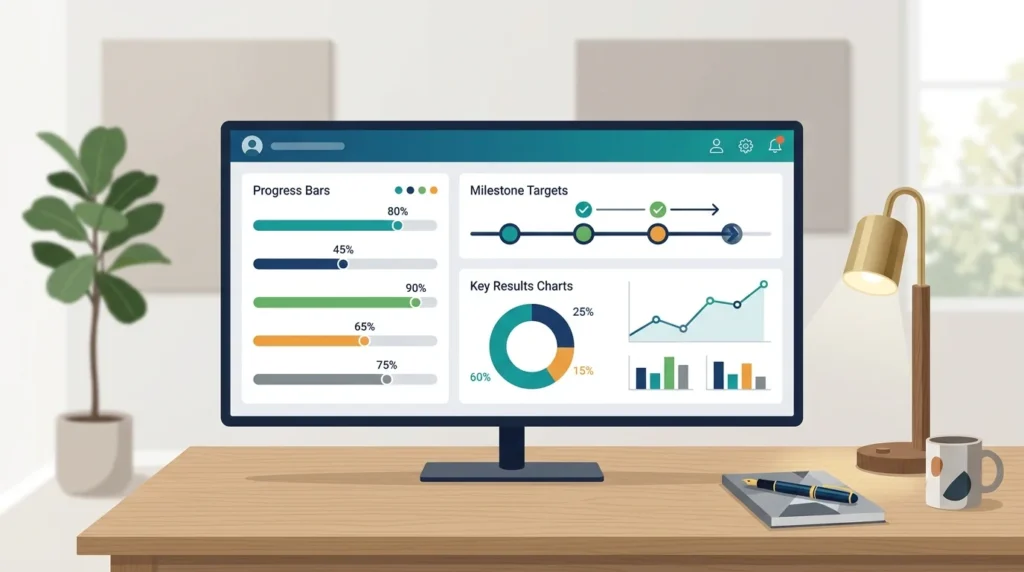
I embed a linked view of my master Goals and OKR database directly below the project board. Reviewing my quarterly milestones reminds me of my strategic destination. I pick exactly three primary outcomes for the upcoming week and schedule dedicated focus blocks directly onto my calendar. Aligning weekly action with quarterly objectives ensures that urgent tasks do not displace truly important work. To see how OKRs connect with weekly reviews, read our walkthrough on notion goal setting and okr tracking dashboard.
I also leave dedicated buffer blocks on Wednesday and Friday afternoons. In reality, unexpected disruptions always arise – a software bug emerges, a client requests an urgent edit, or personal errands intrude. Building buffer margin directly into your schedule prevents the entire weekly plan from collapsing when unexpected demands strike.
Building The Automated Weekly Review Template
To eliminate friction, I utilize Notion’s native database template feature inside my Weekly Ledger database. Every Friday, I click one button to generate a standardized review page with all linked views, checklist toggles, and prompts pre-populated.
Inside the template, I include three concise reflection questions: What went exceptionally well this week? What bottleneck slowed down progress? What single operational adjustment will I make for the upcoming week? Keeping the journaling section short ensures I complete it consistently without feeling bogged down. For digital store owners looking to optimize product selections, explore our analysis on which PLR digital products sell best, as well as the digital business assets on plrbizhub.com.
Archiving Completed Data To Maintain Workspace Speed
As weeks turn into months, unarchived tasks accumulate into thousands of database records. Leaving completed tasks visible in your daily views will noticeably degrade Notion’s loading speed on mobile devices.
During the final step of my review, I run an archiving routine. I open my master task table, select all completed tasks from the prior week, and check an Archived property. My active dashboard views filter out all archived items, keeping the active dataset under fifty records at any given moment. This simple hygiene habit keeps my workspace snappy, responsive, and aesthetically pleasing.
Frequently Asked Questions
What is the best day of the week to do a weekly review?
I find Friday afternoon between three and four o’clock ideal because recent weekly events are fresh in my mind, allowing me to fully disconnect over the weekend.
How long should a complete weekly review take?
A well-structured review should take between twenty and thirty minutes. If your review exceeds forty-five minutes, your system has too many prompts or unmanaged inboxes.
What should I do if I miss a weekly review?
Do not try to backfill missed notes or feel guilty. Simply run a condensed ten-minute review on Monday morning to pick your three priorities for the week ahead.
Committing to a regular weekly review in Notion restores your control over time, turning reactive fire-fighting into proactive, purposeful momentum.